
DocBunker vs Google Drive
Google Drive or a client portal for your exchanges?
A shared Drive folder or a client portal? Compare access, client uploads, tracking and how sharing ends.
 Google Drive
 DocBunker
- 3criteria where DocBunker is better
- 3criteria level
- 1criteria where Google Drive is better
The short answer
Which approach fits your project?
Google Drive is excellent for working on documents together, especially if the people you work with already have a Google account. A DocBunker folder makes sense when the client simply needs to upload or view files, without an account and without access to the rest of your space, through a link you can expire and revoke. You can keep Drive for production and use DocBunker for the exchange with the client.
This comparison covers sharing a Google Drive folder or file with someone outside your organisation. Options differ between a free account and Google Workspace, and depend on your administrator’s settings: check them in your own set-up.
Everyday differences
On mobile, scroll the table horizontally.
| Your needs | Google Drive | DocBunker folder |
|---|---|---|
| Client access | An “anyone with the link” link or named access, which usually requires a Google account. | ✓ BetterA private link; the client does not need to create an account. |
| Client uploads | Possible by giving the client edit rights on the folder, or through a form whose respondents must sign in to Google. | ✓ BetterThe client uploads files to the folder without an account; you can switch uploads off per folder. |
| What the client sees | The contents of the shared folder and, depending on rights, its subfolders and files. | ✓ BetterOne folder per link, never the list of your other folders. |
| Scanning uploaded filesEquivalent | Depends on Google’s checks and your administrator’s controls. | Every file is scanned before it can be downloaded. |
| Ending the shareEquivalent | Remove access, or set an access expiry depending on the plan; copies already downloaded stay with the recipient. | Expire or revoke the link from the folder; copies already downloaded stay with the client. |
| Real-time co-editing | ✓ BetterSeveral people edit the same document at once. | No co-editing: DocBunker is for uploading, viewing and commenting. |
| Activity logEquivalent | An activity history on files, depending on the plan. | A log per folder: views, uploads, downloads, comments. |
Where DocBunker is better
- Client access
- Client uploads
- What the client sees
Where Google Drive stays better
- Real-time co-editing
Every tool has its strengths: this scorecard compares the use case “exchanging documents with a client”, not the tool as a whole.
A one-off exchange
When Google Drive is enough
The people you work with already have Google accounts, you edit the same documents together and trust is established. Drive then gives you real-time co-editing, which DocBunker does not try to replace.
An ongoing project
When to move to a client folder
You receive documents from many different clients who do not have, or do not want to create, an account, and you want one space per client without risking exposing the rest of your Drive. Remember to remove the Drive access you granted as soon as the exchange ends.
Prepare a folderA practical example
Example: a firm collecting the documents for a file
A firm shares a Drive folder with a client to receive supporting documents. The client has to sign in with a Google account, sometimes a personal one, and the firm has to check the rights it granted so nothing else is exposed.
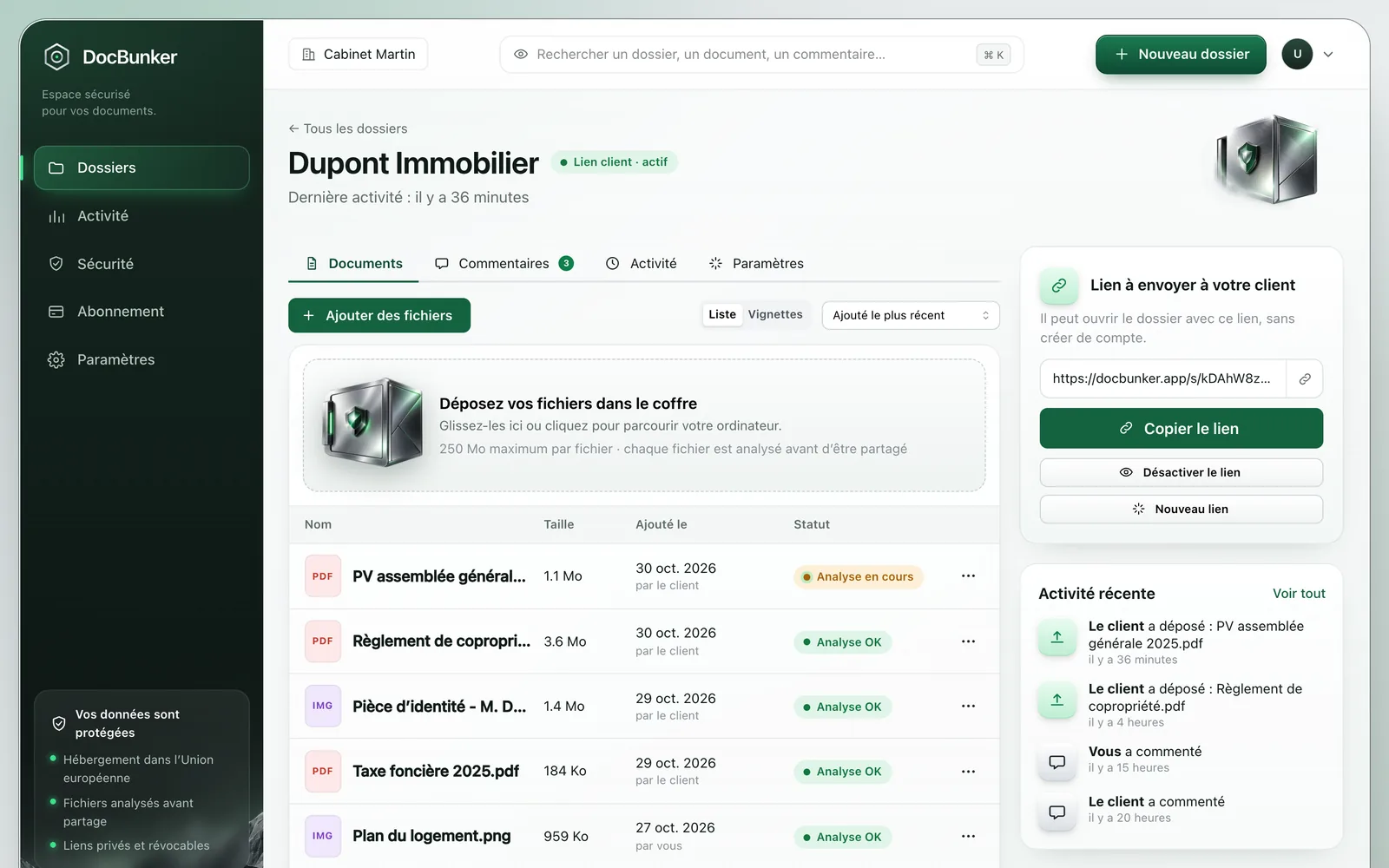
With DocBunker, the firm sends one private link per folder. The client uploads without an account, the firm finds the scanned files in the same space and can close the link when the file is done.
How to get started
- Create one DocBunker folder per client or project.
- Send the link with the list of documents you expect.
- When the work ends, revoke the link and archive or delete the folder.
Anyone holding an active link can access the folder. Choose your recipients and close the link when sharing should end. Recipients keep copies they have already downloaded.
Common questions
Do I need to stop using Google Drive?
No. Drive remains the right tool for production and co-editing. DocBunker is for the boundary with the client: uploads, viewing, comments.
Does my client need a Google account?
Not with DocBunker: they use the link you send. With Drive it depends on the type of sharing you choose and your administrator’s settings.
Can I bring a file over from Drive?
Download the file from Drive and upload it to the DocBunker folder. Native Google files (Docs, Sheets) must be exported first, for example as a PDF.

Make client exchanges easier
One folder for the rest of your project.
Keep your preferred channel for messages, with a dedicated place for client documents and feedback.
Create my folder